For VPS and dedicated servers

Your server.
Our panel.

Rent a VPS or a dedicated box from any provider, or run your own. One command turns it into a game server panel: a config editor for every game, mods, backups, auto-restart and a live console. Players join straight to your IP.

  • First host free
  • Direct join, no relay needed
  • Linux and Windows

Runs on the machine you already pay for:

How it works

From a fresh box to a full panel in three steps

No control panel to install and maintain, no web server, no database. A small agent runs on your machine and connects out to NodeMesh; everything else lives in your browser.

Run one command

SSH into your server and paste the line from your panel. The agent installs as a system service and connects outward, so there is nothing to open first.

# Run in your terminal — installs & pairs the agent

curl -sSL https://install.nodemesh.app | sudo sh

🔒 No shell runs on your Linux host. Downloads are checksum-verified. How we keep your hardware safe

Mark it as a dedicated server

Switch it on on the host page and confirm your public IPv4. New game servers on that machine then default to direct join.

Public IP203.0.113.10

Create servers, share the address

Pick a game and NodeMesh assigns a free port. Players connect to your IP and port, and the panel checks from the internet that it really answers.

your players type203.0.113.10:2456

Config tab

A real config editor for every game

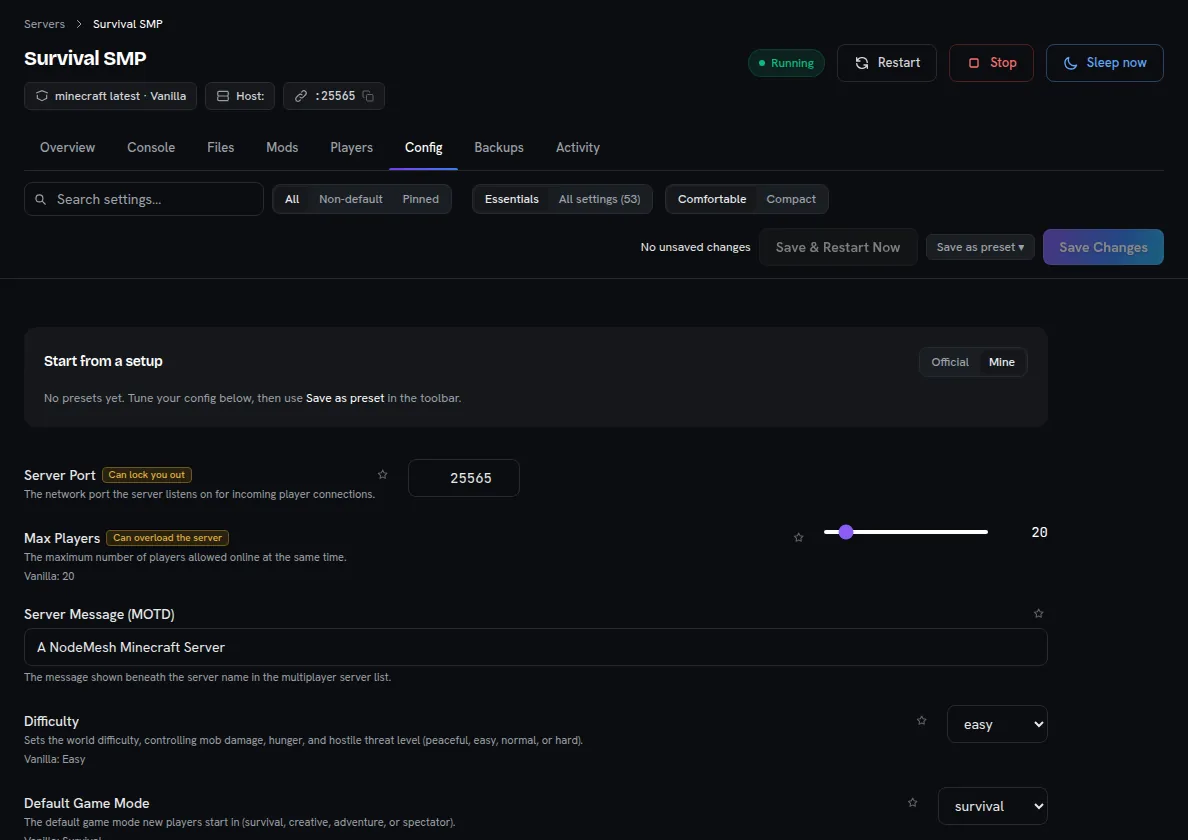
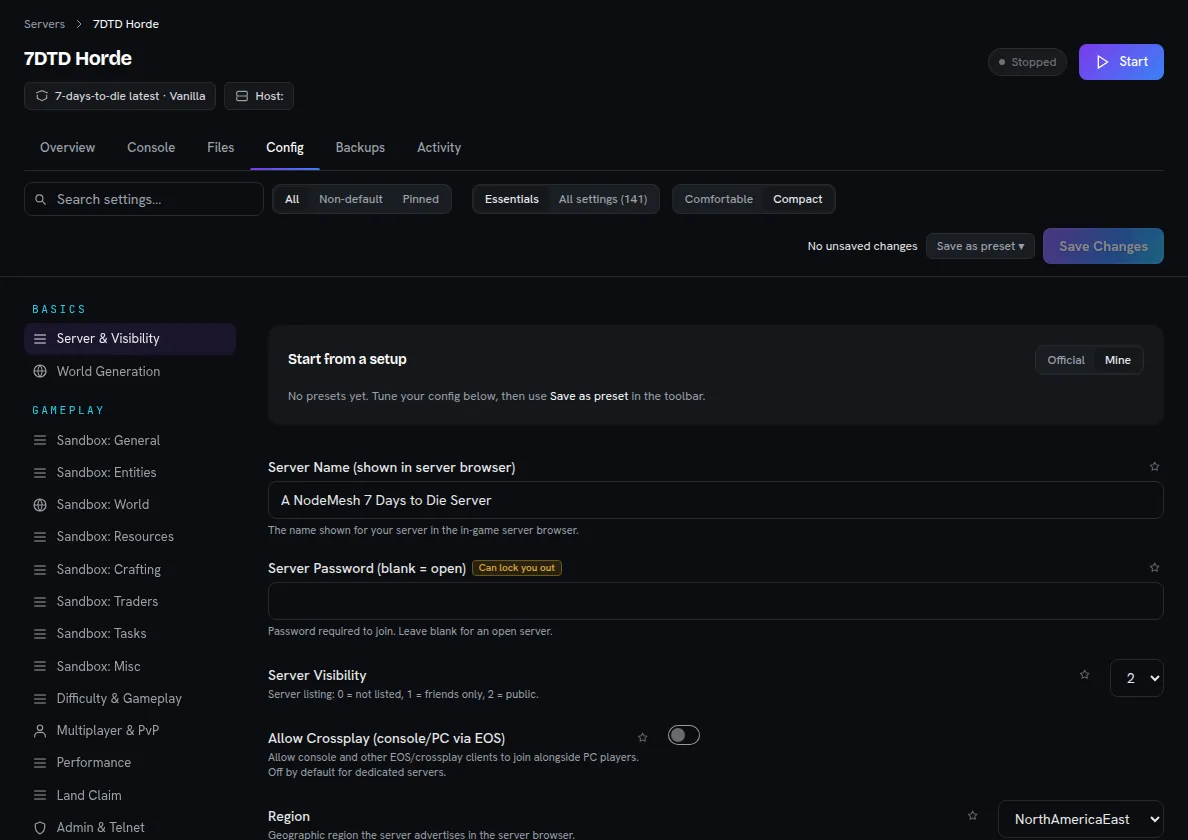
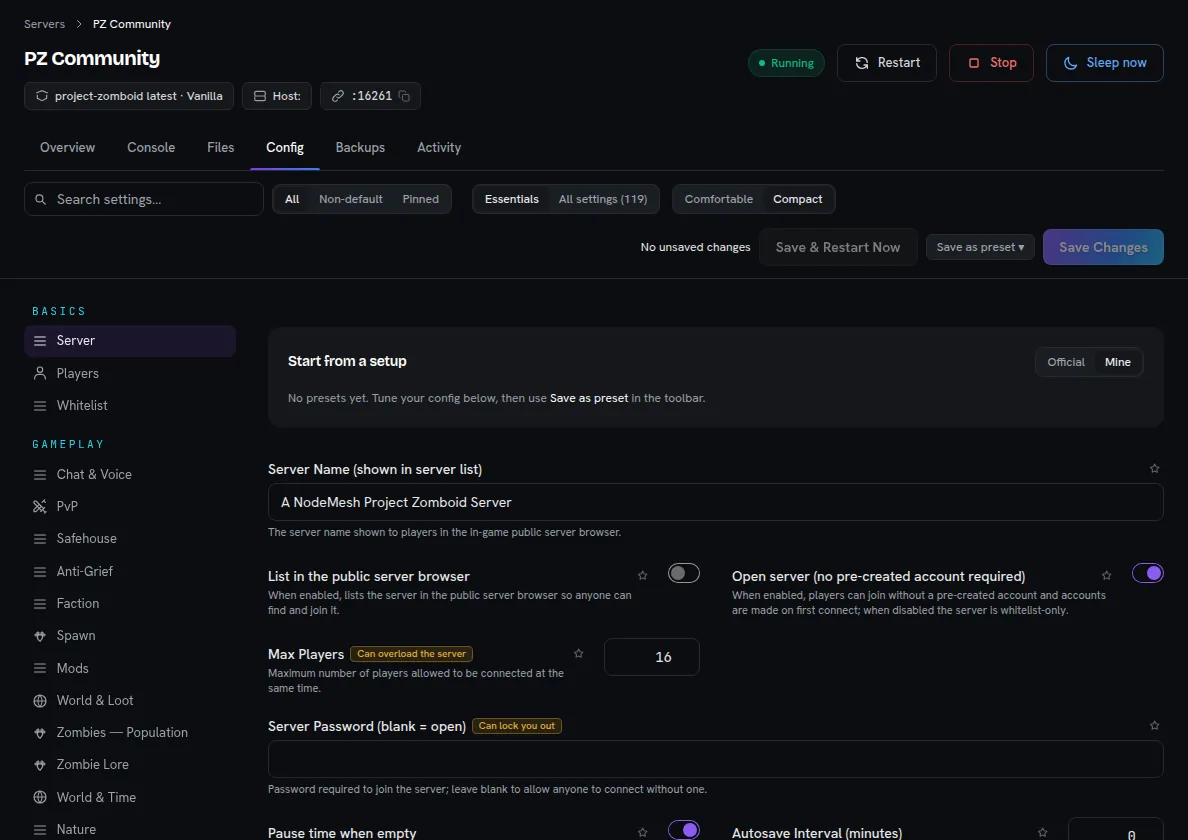
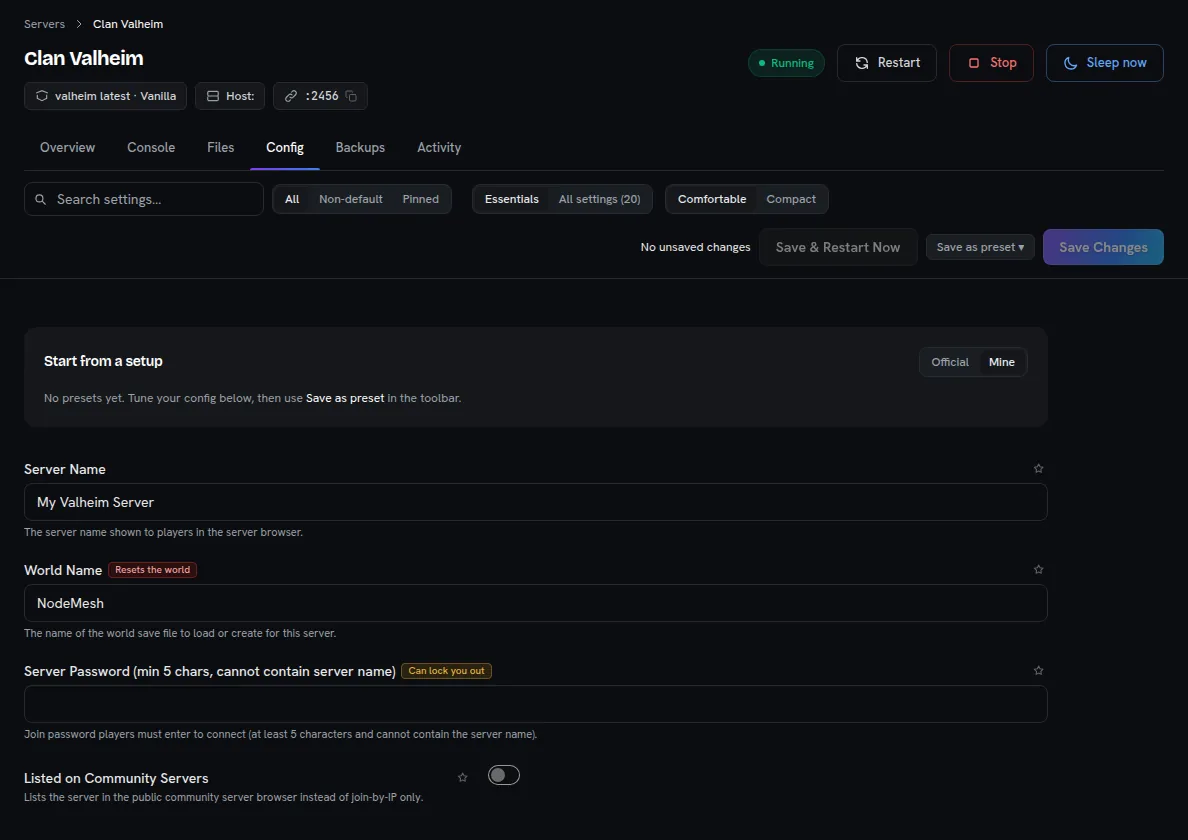
No more editing .ini, .xml and .properties files over SFTP. Every game in the catalog gets a Config tab built from its own settings, with descriptions, limits and a warning before you lock yourself out.

The NodeMesh Config tab: Minecraft

Real screenshots of the panel, with each game's default settings.

  • 01Search every settingOr show only the essentials, only what you changed, or the ones you pinned.
  • 02Explained, with warningsA description under each setting, and a warning on the ones that can lock players out or reset the world.
  • 03PresetsSave a tuned config as a preset and start the next server from it.
  • 04The files stay yoursAnything the form does not cover is one click away in the file manager.

In the panel

Everything else your servers need

Many servers on one machine

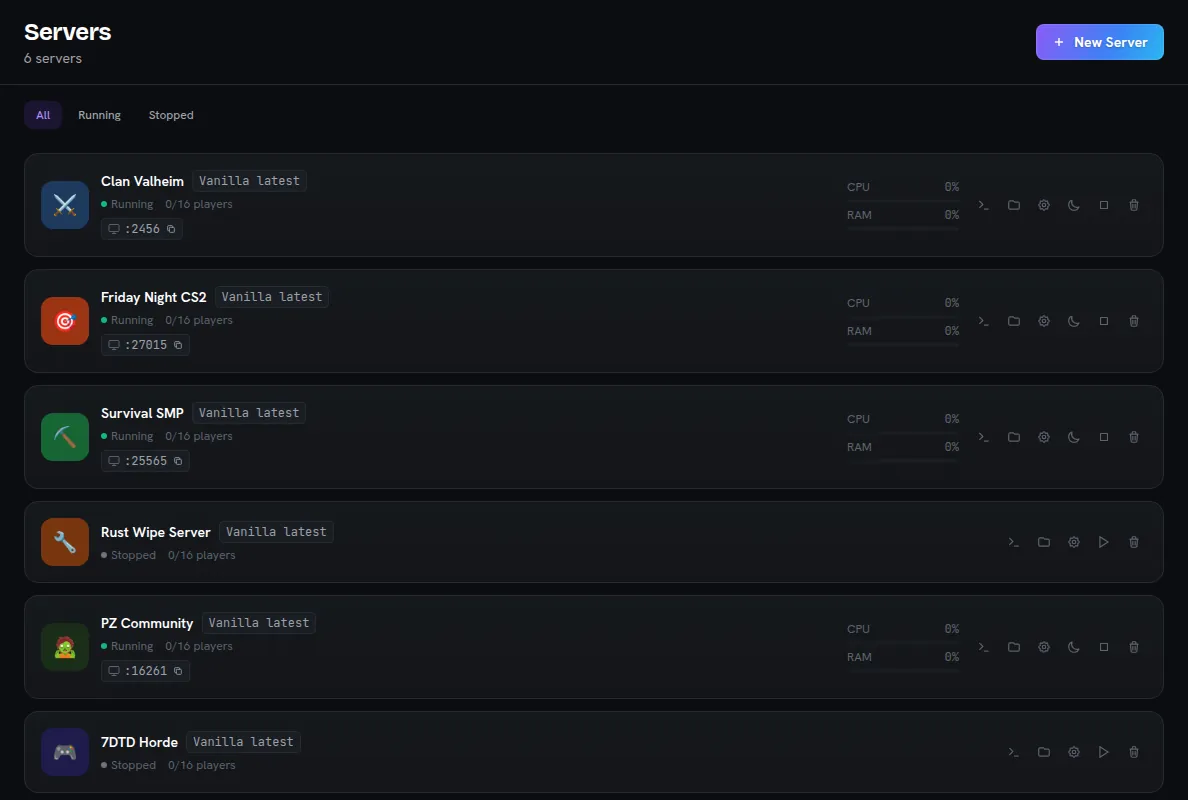
Each game server gets its own folder, port and process. On a dedicated host NodeMesh searches a wider port range, so memory and disk are the real limit.

The Servers page of the NodeMesh panel with six game servers on one machine

Mods with their dependencies

Search and install for Minecraft, Valheim, Rust and Satisfactory, with required mods pulled in. Workshop links, IDs or uploads for the other games that take mods.

Backups on a schedule

Snapshot a server in one click or on the days you pick. A restore runs in the background and tells you what it is doing.

Restarts itself after a crash

Crash detection restarts the server, and stops after repeated crashes instead of looping. Scheduled restarts warn players and save first on games that support it.

Live console

Follow the server log as it happens and send commands, with an RCON tab for games that have one.

Alerts in your Discord

A webhook posts crashes and other server events to the channel your community already reads.

Networking

Players join your IP. Nothing in between.

On a machine with a public IP, players connect straight to it: lowest latency, real player addresses, no extra hop. NodeMesh helps with the part that usually goes wrong, the firewall.

Your firewall plan, written for you

The host page lists the ports each direct-join server needs, ready to paste. NodeMesh only advises: it never edits your firewall, and remote-console ports are never on the list.

# Valheim · Counter-Strike 2 · Minecraft · Project Zomboid
sudo ufw allow 25565/tcp
sudo ufw allow 27015/tcp
sudo ufw allow 2456:2458/udp
sudo ufw allow 16261:16262/udp
sudo ufw allow 27015/udp

The plan for the four servers above, generated by the same code as the host page.

Check from the internet

NodeMesh dials your public address and tells you whether the port answers, even before you start the game.

The relay, when you want it

Any single server can go through the NodeMesh relay instead, so players get our address and never see yours. Machines without a public IP use the relay.

NodeMesh does not filter attacks. In direct mode your provider's network and your firewall are what stands in front of the server.

BetaNo server yet?

Order one from the panel, on your own cloud account

Connect your Hetzner Cloud, DigitalOcean or Vultr account, pick a location and a size, and confirm. NodeMesh creates the machine on your account, installs the agent and connects it. Your provider bills you directly; NodeMesh charges nothing for the order.

  • Hetzner Cloud
  • DigitalOcean
  • Vultr
Order a server
  1. 1Add your provider API keyStored encrypted and deleted once the server connects, unless you choose to keep it.
  2. 2Pick a location and a sizeWith the provider's list prices and a monthly estimate, clearly labelled as an estimate.
  3. 3Confirm with your passwordThe job page shows every install step. NodeMesh never deletes or reinstalls a machine on its own.
  4. Keep the key and NodeMesh also manages one firewall at your provider: only direct-join game ports open, SSH closed unless you allow your own address.

Who it is for

For the people who run the servers

Box owners

You rent a VPS or a dedicated server and want the game servers, not the sysadmin work.

Communities and clans

Several games on one machine, restarts and backups on a schedule, alerts in your Discord and a public page for each server.

LAN and tournament organisers

Put a Counter-Strike 2 server (Beta) on your own box with direct join and an RCON console, run it for the night, stop it after.

Hosting companies

Thinking about NodeMesh for your customers? There is no reseller offer today, but we would like to hear what you need.

Talk to us →
Coming soon

Game nights, LANs and tournaments

We are building tools for running events on your own servers: a CS2 tournament, a LAN party, a weekly community night. They are not available yet.

Counter-Strike 2 servers on NodeMesh →

What already works today

  • A CS2 server on your machine, joined directly on your IP
  • A live console and RCON for match commands
  • Scheduled restarts, so the server is fresh before the evening starts
  • A public server page that tells players how to join

Pricing

Pay per machine, never per game server

Your provider bills the machine itself. NodeMesh charges a flat monthly fee per host after the first, however many game servers and players it has.

Move it: the total does not change.

You pay each month

Free

Your first host is free, whatever kind of machine it is.

Each further dedicated host costs 5 NMC a month during the beta. The price may change, with notice in advance.

NMC are NodeMesh credits, granted during the beta: no payment needed.

See full pricing →

// FAQ

Questions from server owners

Does it work with my provider?

If the machine runs Linux or Windows and can reach the internet, yes. The agent only makes outgoing connections, so it works the same at Hetzner, OVHcloud, DigitalOcean, Vultr or on hardware in your own rack.

Do I need a public IP address?

No. With a public IPv4, players join your machine directly. Without one, or for any server you choose, players connect through the NodeMesh relay and nothing has to be opened on your network.

Do you resell servers or add a markup?

No. You rent the machine from your provider and pay them directly. When you order through the panel, the server is created on your own account with your own API key.

What does it cost?

Your first host is free. Every further host has a flat monthly fee in NodeMesh credits, with no charge per game server or per player. The current rates are on the pricing page.

Does NodeMesh protect my server from DDoS attacks?

No. In direct mode players reach your IP, so your provider's network and your firewall are what stands in front of the server. The NodeMesh relay hides your address, but it is not an attack filter either.

Which games can I run?

Every game in the catalog, from Minecraft and Valheim to Counter-Strike 2. Windows-only games need a Windows machine. Most games are marked Beta: they install and run, but not all of them have been tested end to end on real hardware.

Bring the box. We bring the panel.

Connect your first server free. It takes one command.

Connect your server free

Run a hosting company? Talk to us